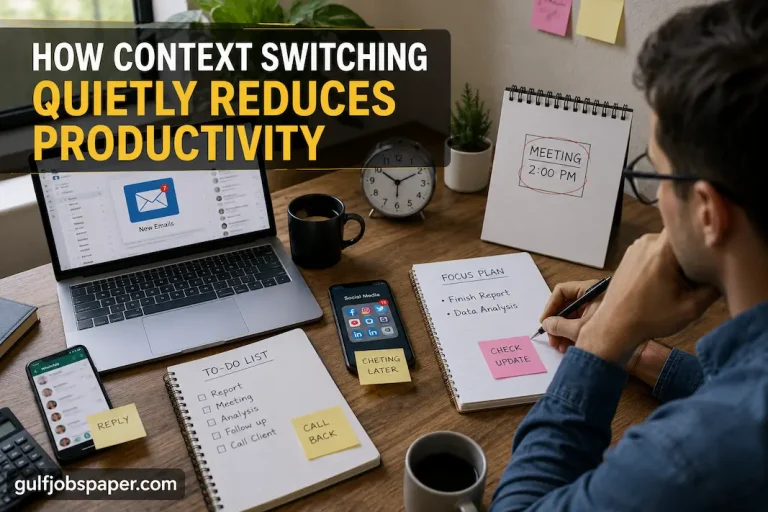

You sit down at your desk with a clear goal for the morning. An important report needs finishing, a presentation is due by the afternoon, or several emails require thoughtful responses. Within minutes, however, your attention begins drifting. A notification appears on your phone, you remember laundry waiting in another room, you search for a charger, refill your coffee, answer a message, and suddenly nearly an hour has passed with very little meaningful work completed.
Experiences like this are common when working from home. Unlike traditional workplaces, home environments contain personal responsibilities, family life, household chores, entertainment, and work all under the same roof. The challenge isn’t usually a lack of motivation—it’s the constant presence of small interruptions that quietly compete for your attention throughout the day.
Creating a distraction-free work environment doesn’t require an expensive office makeover or the latest productivity gadgets. It begins by understanding where your attention is being pulled away and making practical adjustments that reduce those interruptions before they happen. When your workspace removes unnecessary obstacles instead of creating them, staying focused becomes a much more natural part of your workday.
Start by Discovering What Actually Interrupts You
Before buying new office furniture or reorganizing your desk, spend a few days paying attention to the moments when your concentration breaks. Many distractions become so familiar that we barely notice them anymore.
For one person, the biggest interruption may be constant phone notifications. Someone else may lose focus because family members regularly ask questions throughout the day. Another person may repeatedly leave their desk searching for notebooks, charging cables, or documents that never seem to be where they’re expected.
Even seemingly harmless interruptions deserve attention. Standing up every twenty minutes to refill water, looking for headphones before every meeting, or checking social media “just for a minute” may seem insignificant individually. Together, however, these small actions create repeated breaks in concentration that make deep, focused work much harder to maintain.
Rather than trying to eliminate every possible distraction, identify the few interruptions that happen most often. Solving your biggest sources of disruption usually produces far greater results than making dozens of unnecessary changes.
Reduce Friction Instead of Chasing Motivation
Many people believe productivity depends primarily on motivation or willpower. While motivation certainly helps, the design of your workspace often has a greater influence than you might expect. Every unnecessary action required to begin or continue working creates a small amount of friction, making it easier to lose focus along the way.
Imagine beginning a task only to realize your notebook is in another room. While looking for it, you notice the television is still on, remember dishes in the kitchen, check your phone, and return to your desk several minutes later. None of these interruptions were planned, yet each one quietly delayed your progress.
The same thing happens when chargers disappear beneath cables, frequently used documents are stored in different locations, or office supplies are scattered throughout the house. Every extra decision or unnecessary movement creates another opportunity for distraction.
Reducing friction means making work easier to begin. Keep the items you use most often within easy reach. Store similar materials together. Give every tool a permanent place so you spend less time searching and more time working.
When your environment supports simple routines, maintaining focus requires much less effort.
Build a Workspace That Answers Questions Before You Ask Them
One way to improve concentration is to design your workspace so that common questions already have obvious answers.
Where do completed documents go?
Where should today’s notebook stay?
Where are charging cables kept?
Where do headphones belong after meetings?
Where is the pen you use every day?
When every frequently used item has one reliable location, your mind spends less energy making small decisions throughout the day. Instead of interrupting your work to search for something, you simply reach for it without thinking.
This principle also applies to digital organization. Important folders, commonly used files, and regularly visited websites become much easier to manage when they’re organized consistently. Reducing unnecessary searching helps protect your attention and allows you to return to important work more quickly whenever interruptions do occur.
Over time, this level of organization creates confidence. You begin trusting that everything you need is already where it belongs, making it easier to focus completely on the task in front of you.
Protect Your Attention as Carefully as Your Workspace
A clean desk alone won’t guarantee productive work if your attention is constantly being pulled elsewhere. Modern distractions often come from digital devices rather than physical clutter, making it important to manage both your environment and your technology together.
Notifications are one of the most common examples. Every alert, message, or news update briefly shifts your attention away from your current task. Even if you don’t immediately respond, simply noticing the notification can interrupt your train of thought and make it more difficult to regain momentum.
Consider placing your phone out of immediate reach while working on important tasks. Closing browser tabs that aren’t needed, limiting unnecessary applications, and checking email at planned intervals instead of continuously can also help reduce digital interruptions.
If you share your home with family members or roommates, simple communication can make a difference as well. Letting others know when you’re entering a focused work session helps establish expectations and reduces unexpected interruptions without creating unnecessary tension.
Protecting your attention isn’t about isolating yourself completely. It’s about creating conditions where meaningful work has the opportunity to continue without constant competition from avoidable distractions.
Create a Consistent Workday Starting Ritual
One of the easiest ways to improve focus is to prepare your environment before beginning your first task. Rather than sitting down and immediately reacting to whatever appears on your screen, spend a few minutes getting both yourself and your workspace ready for productive work.
This preparation doesn’t need to be elaborate. Fill your water bottle, place today’s notebook on the desk, review your priority list, silence unnecessary notifications, clear away anything unrelated to your work, and make sure essential tools are within easy reach.
These small actions create a clear transition between everyday home life and focused work. Instead of gradually easing into productivity while responding to distractions along the way, you begin the day in an environment that’s already prepared to support your attention.
Perhaps most importantly, repeating the same preparation each morning helps signal that it’s time to concentrate. Over time, this simple ritual becomes part of your routine, making it easier to settle into focused work without relying solely on motivation.
Conduct a Weekly Workspace Friction Audit
No workspace stays perfectly organized forever. As projects change and responsibilities grow, small inconveniences slowly begin to appear. A notebook ends up in another room, charging cables become tangled, important documents pile up, and sticky notes start covering the monitor. Individually these issues seem minor, but together they create constant interruptions that gradually reduce productivity.
Instead of waiting until your workspace feels overwhelming, spend a few minutes each week reviewing what slowed you down. Think about the moments when you had to stop working because something wasn’t where you expected it to be or because your environment pulled your attention elsewhere.
A simple review often reveals patterns that are easy to fix before they become daily frustrations.
| Common Interruption | Why It Happens | Practical Solution |
|---|---|---|
| Looking for chargers | No designated storage place | Keep chargers in one accessible location |
| Searching for documents | Papers stored in different areas | Create clearly labeled folders or trays |
| Constant phone checking | Phone remains within reach | Place it outside your immediate workspace during focus sessions |
| Clutter building up | Small items never returned to their place | Spend five minutes resetting the desk at the end of each day |
| Leaving the desk repeatedly | Supplies aren’t nearby | Keep frequently used items within arm’s reach |
| Too many browser tabs | Everything stays open all day | Close unused tabs before beginning important work |
The purpose of this audit isn’t to create a perfect workspace. It’s to remove the small obstacles that repeatedly interrupt your concentration.
Create Boundaries Between Work and Home Life
One challenge unique to working from home is that professional and personal responsibilities often exist in the same space. Without clear boundaries, work can gradually spread into every part of the day, while household activities can easily interrupt working hours.
Even if you don’t have a separate office, simple routines can help create these boundaries. Starting work at a consistent time, using the same workspace each day, and putting away work materials when your day is finished all help signal when work begins and when it ends.
Ending the workday intentionally is just as important as starting it. Closing your laptop, organizing tomorrow’s notes, and clearing your desk before leaving your workspace creates a sense of completion that makes it easier to relax during the evening.
These boundaries don’t just improve productivity—they also help protect your personal time by preventing work from quietly extending into every free moment.
Signs Your Workspace Is Helping You Stay Focused
A productive workspace doesn’t necessarily feel exciting. In fact, the best environments often become almost invisible because they allow your attention to remain on your work instead of your surroundings.
One noticeable sign is that starting work becomes easier. Instead of spending the first fifteen minutes organizing papers or looking for supplies, you can begin meaningful tasks almost immediately.
Another indicator is fewer unnecessary interruptions. You may realize you’re getting through longer periods of focused work without feeling the need to constantly check your phone or leave your desk. Small tasks that once seemed difficult to begin often become more manageable simply because fewer obstacles stand in your way.
You may also notice smoother transitions after breaks. Returning from lunch or a meeting becomes easier because your workspace is already organized and ready for the next task instead of requiring another round of preparation.
Perhaps the biggest improvement is reduced mental clutter. When your environment is organized and predictable, your attention can remain focused on solving problems rather than managing constant distractions.
Common Mistakes That Keep Home Workspaces Distracting
Many people believe adding more equipment automatically creates a better workspace. In reality, overcrowding a desk with unnecessary gadgets often introduces more distractions than benefits. Keeping only the tools you regularly use creates a cleaner and more functional environment.
Another common mistake is allowing unrelated household items to accumulate around the workspace. Bills, shopping bags, unopened packages, children’s toys, or personal belongings may not seem connected to work, but they continually compete for your attention while you’re trying to concentrate.
Digital clutter deserves equal attention. A desktop filled with random files, dozens of browser tabs, and constant notification alerts can become just as distracting as physical mess. Organizing both your physical and digital workspace creates a more consistent working experience.
Finally, many people expect one afternoon of organizing to solve every productivity problem. A distraction-free workspace isn’t created once—it develops through small habits repeated every day. Returning supplies to their place, clearing the desk before finishing work, and reviewing your setup regularly are what keep the environment working well over time.
Frequently Asked Questions
Do I need a separate home office to stay focused?
No. While a dedicated office can be helpful, many people work effectively from a shared room or small apartment. The key is creating a consistent workspace with clear boundaries and minimizing unnecessary distractions.
How often should I reorganize my workspace?
A brief reset at the end of each workday and a more thorough review once a week are usually enough to prevent clutter and maintain an organized environment.
What’s the biggest distraction when working from home?
It varies from person to person. For some, digital notifications are the main challenge. Others struggle with household interruptions, visual clutter, or constantly searching for supplies. Identifying your most frequent distractions is the first step toward creating a workspace that supports better focus.
Conclusion
A distraction-free work environment isn’t defined by expensive furniture, multiple computer monitors, or perfectly styled office décor. It’s created by thoughtfully removing the small interruptions that quietly break your concentration throughout the day. When your workspace is organized, your tools are easy to find, your digital distractions are managed, and clear boundaries separate work from home life, staying focused becomes far less dependent on willpower.
Rather than trying to force yourself to concentrate harder, design an environment that naturally supports the way you work. Over time, these small improvements add up, allowing you to spend less energy dealing with distractions and more energy producing meaningful, high-quality work from the comfort of your home.